
Escalation Management Software
Machine breakdowns, delayed parts, and unexpected issues are inevitable in manufacturing processes. What really matters is how quickly and effectively you respond by notifying the right people. SyncAlert provides visibility into issues, empowering your team to act swiftly and minimize disruptions.
Customized Workflows
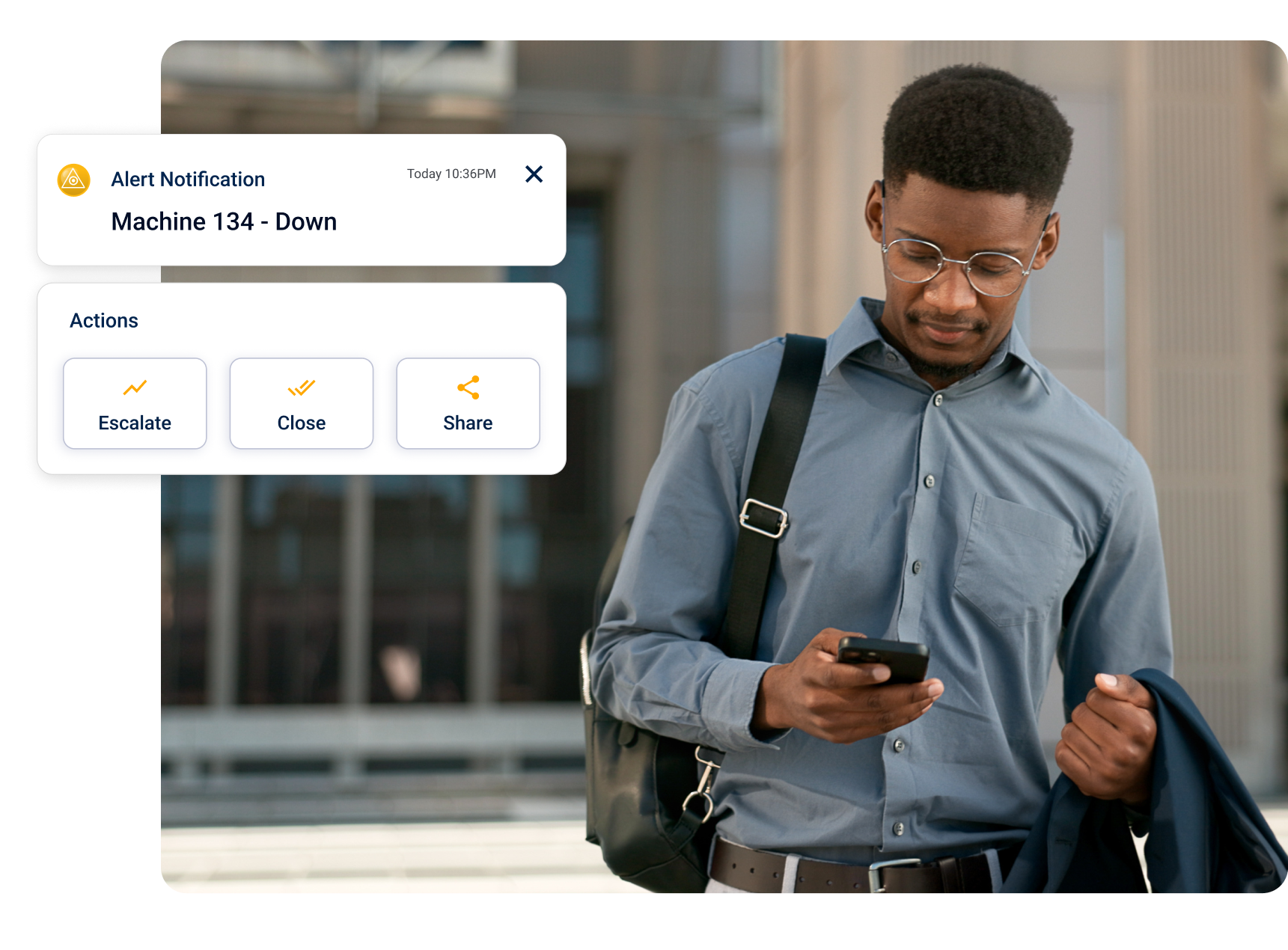
Set smart escalation paths to ensure the right people are informed at the right time, minimizing delays and improving response times.
Real-time Alerts
Receive instant notifications for disruptions, enabling you to stay informed in real-time and take immediate action.
Centralized Communication
Provide real-time updates on incidents and keep stakeholders informed with status pages. Share a unified view of system performance and empower teams to take timely action.
Single and Multi-Site Monitoring
Easily monitor and manage your business operations seamlessly across multiple locations, ensuring consistent performance, improved efficiency, and better oversight no matter where you are.
Performance Analytics
Track response times and gather metrics to identify bottlenecks and improve. overall efficiency. By monitoring performance, you can pinpoint areas for improvement and ensure better outcomes for your team or organization.
Mobile Responsiveness
Access critical information effortlessly across any device. With mobile. responsiveness teams can manage incidents and collaborate from anywhere, anytime.
Actionable Insights
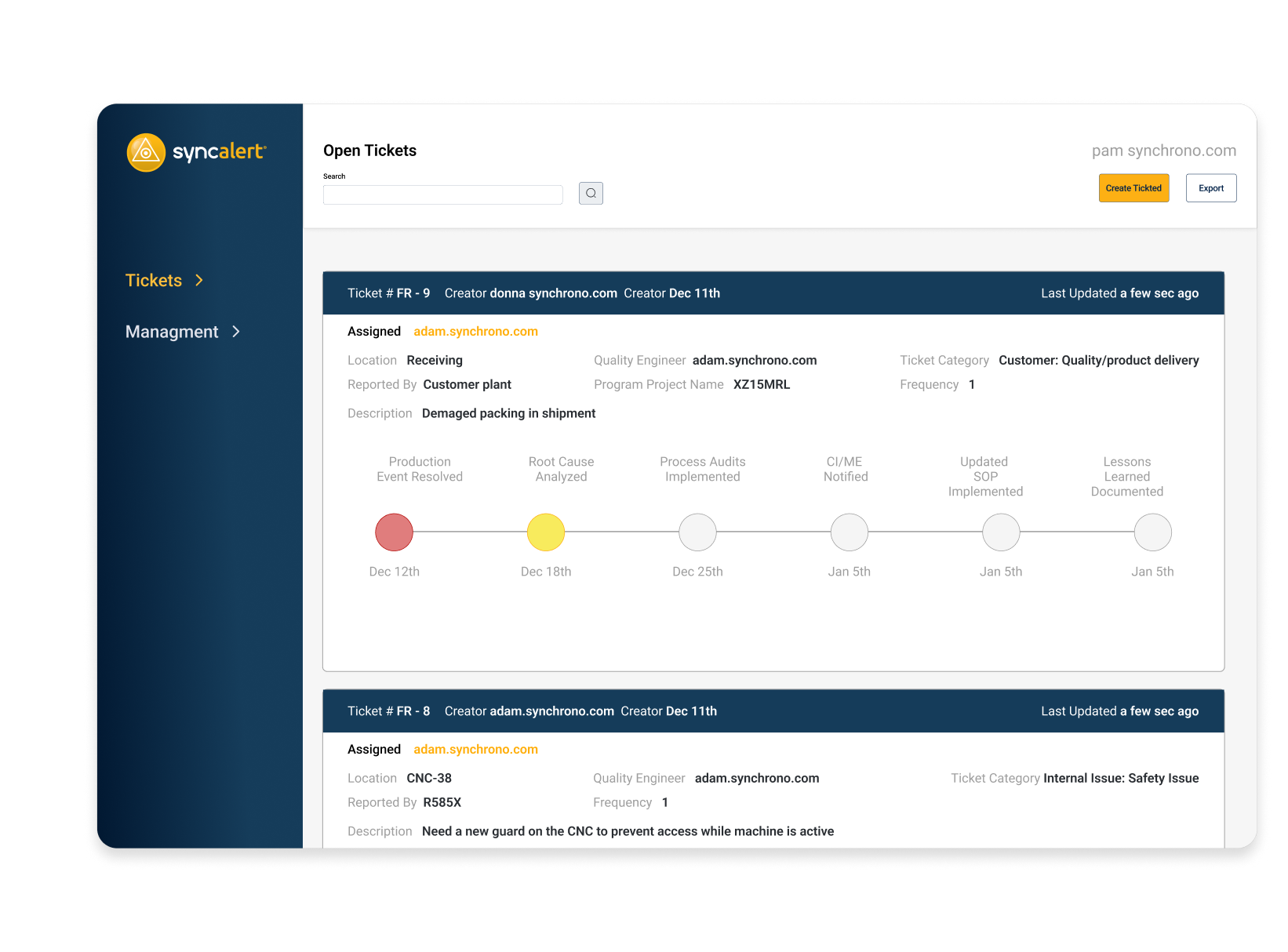
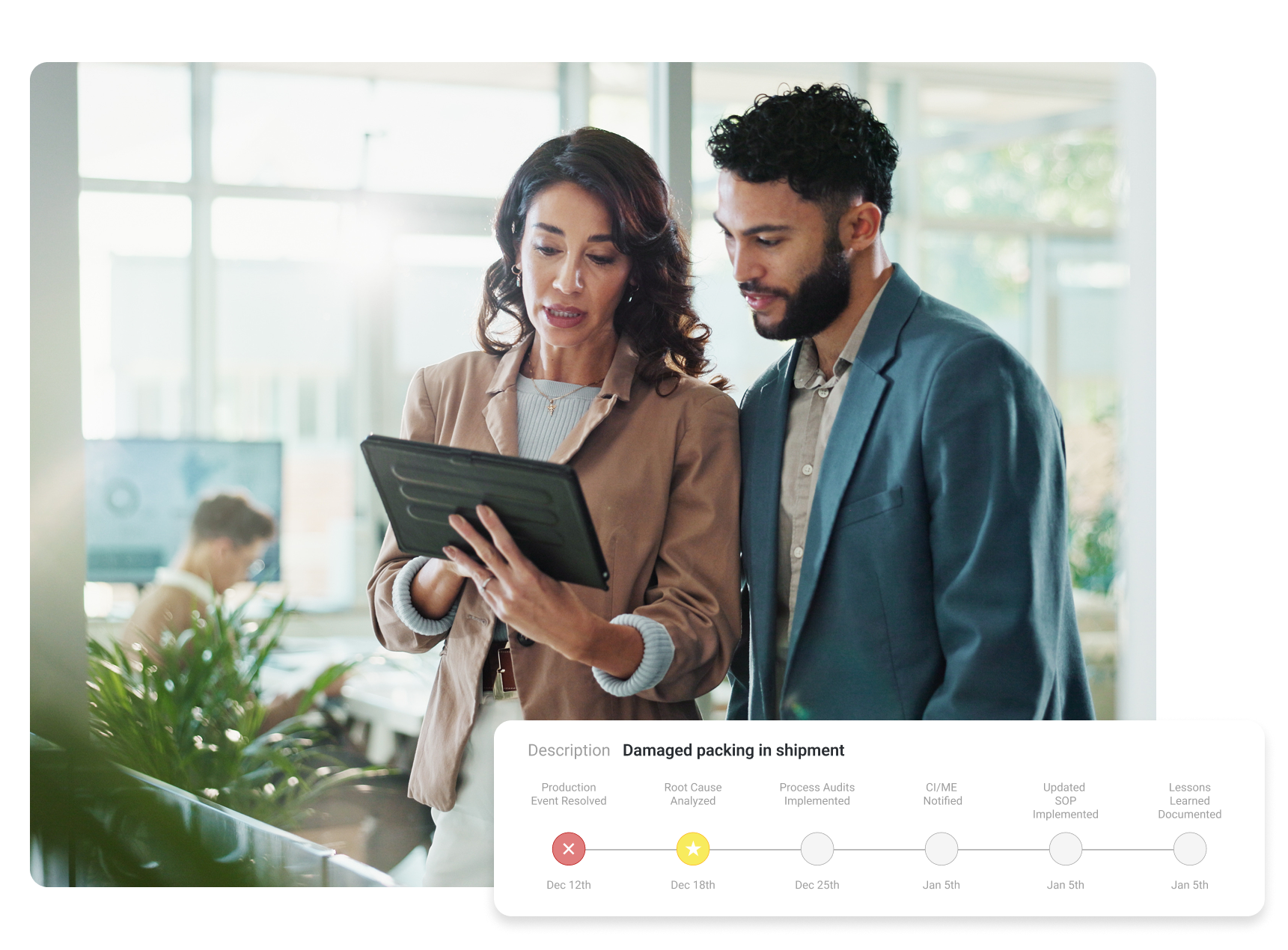
SyncAlert helps you identify inefficiencies, track responses, and make quick informed decisions to improve overall efficiency and productivity. Whether you’re addressing daily interruptions or looking for long-term patterns, SyncAlert equips you with Continuous Improvement.
- Visualize interruptions and track responses
- Export time-to-resolution metrics for detailed analysis
- Identify trends to drive ongoing improvement in your operations
Take Control of Your Production Floor Today
Get the visibility and control you need to handle disruptions with precision. Automate every step of the process for faster and better responses.
What is the difference between the standalone and integrated versions of SyncAlert® software?
The difference between the versions is in the method of ticket entry. In the standalone version, users enter all tickets. When SyncAlert® is integrated with the Demand-Driven manufacturing platform, both users and machines can generate a ticket in the system. The machine ticket entry capability provides a way to preempt maintenance or quality issues before disrupting production.
How can I access SyncAlert® software? Is it available from my mobile device?
SyncAlert® is configured so that operations and manufacturing staff have access to production issues anytime, from anywhere. Ticket notifications are sent via text and email so recipients can be contacted in real-time whether on- or off-site. Downtime is minimized since operators log issues and don’t spend time finding a supervisor in large facilities, or going through phone lists trying to get in touch with a support staff member. Logging into the SyncAlert® system requires corporate VPN access, which is commonly available with company-issued mobile devices or tablets.
Who uses SyncAlert® software?
SyncAlert® software is easily configured to alert specific people or roles based on the type of event and who is on shift at the time. When an incident occurs, the designated responder(s), such as maintenance, quality, or engineering, are notified via email or text. Within the SyncAlert® software ticket, resources can follow-up on details, notify and re-assign other users, and change status to drive resolution via the standard operating procedure. Should a shift change occur during event resolution, SyncAlert® software automatically sends messages to the next shift’s accountable responders to ensure continued progress.
Here are some examples of how specific members of your team can successfully leverage SyncAlert® software:
- Machine operators can enter tickets to alert available support staff that assistance is needed, eliminating time lost to manually calling contact lists or finding specific individuals in large facilities.
- Supervisors may be notified in real-time from anywhere when events need their attention so there are no surprises when flow is impacted.
- Maintenance engineers can receive alert notifications automatically from machines before conditions cause production-interrupting scenarios or quality issues.
How does SyncAlert® software process and track events?
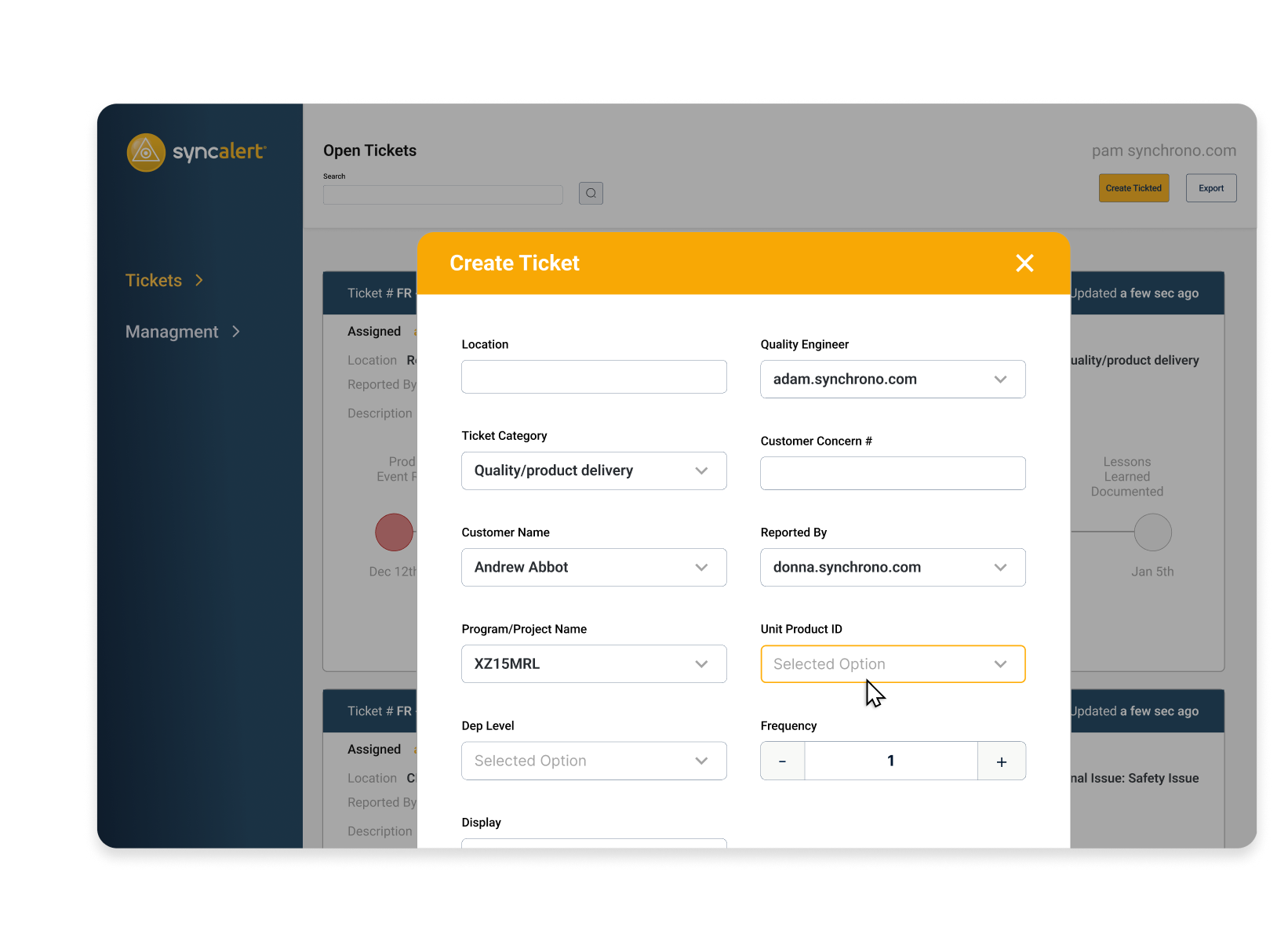
When a ticket is entered, SyncAlert® software kicks off the standard, configured workflow that follows your company’s issue resolution path. For example, SyncAlert® software can take an open ticket and assign resources automatically, or the system can notify users to assign resources.
As certain resolution steps are accomplished, SyncAlert® moves them forward or escalates them as needed until ticket closure. The software manages and tracks the issue data throughout the process and has incorporated the following capabilities to ensure communications are in sync and disruption is minimized:
- Alerts can be sent only to the designated responders on shift, or certain ticket statuses can be communicated to supervisors or management around the clock to ensure immediate action. If an issue is carried over to the next shift, SyncAlert® signals the responder who will be taking over upon shift change.
- The automated work flows drive accountability using time-triggered escalations up the reporting chain.
- Notifications are sent to operators and supervisors about the specific resources or work cells that matter to them, giving them the ability to forward tickets and request additional support.
How can SyncAlert® software help drive continuous improvement?
SyncAlert® software captures data on every production event that’s been logged to indicate downtime or slow production. This information can be exported for analysis to identify common disruptions and resolution performance statistics that your continuous improvement team or process engineers can use for improvement initiatives. For example:
- Examine ticket time-to-resolution data for continuous improvement and resource responsiveness insight.
- Export ticket data to perform Pareto analyses and address quality issues.
- When implemented with the Demand-Driven manufacturing platform, you can enable machine-level alerts to automatically trigger maintenance or engineering support to preempt machine maintenance concerns.
What enhanced features do I gain by integrating SyncAlert™ software within the Synchrono® Demand Driven Manufacturing Platform?
When SyncAlert™ is synchronized with SyncOperations® software, signals from machines themselves can automatically generate tickets and instigate action to minimize downtime. Additionally, SyncAlert® as a component of the Synchrono® Demand-Driven Manufacturing Platform, can:
- Generate live signals in SyncView®, a real-time visual factory information system, to alert users of machine impacts and resolution.
- Work with SyncKanban® pull-based inventory replenishment software to generate replenishment triggers to escalate stock out issues and ensure steady inventory levels to meet customer deadlines.
- Alert SyncManufacturing® planning, scheduling and execution software to initiate realignment of production plans and mobilize resources as needed.
Who programs the alert notification and escalation pathways for SyncAlert® software? When configured for my needs, will it be user-friendly “from the shop floor to the top floor”?
Nearly anyone can configure SyncAlert® software, as it requires very little technical expertise and is based on an easy-to-use interface. Role-based training and quick-entry screens ensure your team will quickly navigate the web-based software and realize its benefits. SyncAlert® works on both mobile and desktop devices and can be configured to alert remotely, on personal devices, as needed.
How is SyncAlert® software sold and implemented?
SyncAlert® software is a web-based solution and can be sold on a SaaS (software-as-a-service) model and hosted by Synchrono®, or sold on a traditional site license model and implemented on premise.
What are the requirements for implementation (e.g. what data do I need to have in terms of infrastructure or other platform components)?
Infrastructure requirements vary from site to site and depend upon whether you choose a hosted SaaS-based, or on premise implementation.
When I buy SyncAlert® software, what kind of implementation support can I expect? Training?
The Synchrono® implementation methodology and InSync post go-live services ensure a successful adoption and a meaningful return on investment of the software. Using a collaborative approach with your team, we model a system for your environment, implement the solution, and transform your business processes and results. Following deployment, Synchrono offers continued support and ongoing services to ensure complete transformation. Role-based training and user-friendly screens ensure your team will become high performing users quickly and effectively.
How long does it currently take to implement SyncAlert® software?
Every implementation varies based on environment and whether SyncAlert® is hosted by Synchrono® or installed on site. Implementations can be complete in as few as 6 weeks.
Do you have any current client feedback that details the value of their SyncAlert® software implementation over time? Do you have client references that I can contact?
Yes; please contact us to arrange for a client reference that is similar in scope and requirements to your environment.