

As it is with all technologies, Advanced Planning Systems (APS) have implementation successes and implementation failures. When APS implementation fails in discrete manufacturing scheduling, it can be for a variety of reasons. Here’s a look at what causes APS implementations to fail and what can be done to overcome these failures.
While many professionals might be quick to blame a failed rollout primarily on the software itself, that’s rarely the root problem. Failure can stem from bad data that doesn’t properly represent the production environment, a lack of process preventing proper modeling of the production environment, poor adoption of the APS technology, or ill-defined project goals in addition to other factors.
In discrete manufacturing, failure often occurs when the chosen APS software is incompatible with the dynamic nature of the manufacturing environment. These issues can be addressed and problems solved from the beginning.

What to Expect of APS in Discrete Manufacturing Environments
A well implemented APS will share key data between Enterprise Resource Planning (ERP), Customer Relationship Management (CRM), and Material Requirements (MRP) systems for discrete manufacturers. Today, modern APS solutions should go beyond standard integrations and offer real-time, demand-aligning planning and scheduling.
An APS system should translate business goals into feasible, constraint-aware schedules. On the Synchrono® platform, manufacturer data is transformed into a dynamic schedule that always aligns with their capabilities, demand signals, and company strategy. Unfortunately, even the best software can’t boast a 100% success rate. However, there are steps that a manufacturer can take to mitigate the main issues that derail an implementation.

How APS Implementations Typically Unfold
It’s important to consider the common phases of APS implementations and where problems most often arise. The standard phases of APS implementation include:
Assess
The assessment phase defines the business need, identifies use cases, and determines readiness. Manufacturers evaluate their current planning environment, including limitations of spreadsheet-based systems, and set realistic goals for a new APS.
This step involves creating a working model that simulates how the system will function in the real-world production environment. Modeling highlights where new processes are needed and helps confirm that system outputs align with actual capacity and business priorities.
Pilot
In this phase, a limited rollout of the APS takes place. It’s tested in a specific cell, product line, or facility to ensure the system can respond accurately to actual demand signals and generate usable schedules. The pilot also exposes integration gaps or data quality concerns that need resolution before scaling.
Expand
With a successful pilot in place, the rollout expands to additional areas. The system is configured to support multiple sites or broader product portfolios. Long-term success depends on maintaining alignment between system outputs and production realities, requiring ongoing refinement.

Where Things Go Wrong
While these phases offer a structured path, several pitfalls can derail progress:
- Skipping data readiness: Jumping into modeling or piloting without reliable master data or ERP inputs creates inaccurate outputs that damage user trust.
- Holding onto spreadsheets: Even with a new APS, teams often revert to manual planning due to comfort or lack of training, creating shadow systems and confusion.
- Lack of stakeholder alignment: When departments aren’t unified on planning goals or KPIs, resistance builds and adoption stalls.
- Going too big, too fast: Big-bang rollouts increase risk. Without staged pilots and continuous feedback loops, organizations miss critical learnings that reduce failure rates.
Recognizing these patterns early makes it possible to intervene, adjust timelines, improve training, or refocus the rollout strategy, before momentum is lost.

APS Failure Pattern 1: Bad or Incomplete Data Models
One reason why an APS implementation might fail in a discrete manufacturing environment is bad or incomplete data. Overall, a planning system is only as good as the data upon which it is built. Missing or outdated data creates a less than comprehensive or accurate picture of a manufacturing system, which will inevitably lead to poor scheduling and less than ideal results.
Good routing data is essential for an APS, the routings need to accurately portray the flow through the manufacturing process, correctly identify the resource(s) needed for each routing sequence, and provide realistic setup and/ or run times on each sequence.
Untimely or incorrect ERP transactions are also an issue as production inventory, order status, and supply chain information will not be correct. This causes the creation of inaccurate plans. Data readiness should be a core component and a point of focus in the implementation and should have a dedicated ownership role to ensure that it is not the reason for APS launch failure. The following are some data readiness items that need evaluation and resolution before a successful APS launch can be achieved.
- Data Infrastructure: This includes the technological components and resources that support data storage, processing, and analysis. Having a successful APS rollout demands reliability, scalability, and performance of all data infrastructure. Therefore, the current data infrastructure should be evaluated before a roll-out can begin.
- Data Integration: Another key factor is data integration, meaning that data must be streamlined through integrated workflows and produce a seamless data flow across systems, which involves a system that is efficient, scalable, and flexible in terms of processes and tools. Whenever possible, integrations should be implemented with an event-driven, real-time methodology. Data latency can cause confusion and mistrust on the part of users who see the temporary discrepancies.
- Data Quality: This is the cornerstone of effective data and metadata management. Before a successful APS go-live, the accuracy, completeness, consistency, and reliability of data should be evaluated. While 99%+ data accuracy is the dream, this is typically an unrealistic goal, the key is to develop and execute a plan that prioritizes the most critical data and to move on when the data is ‘good enough’ to produce a better schedule than existing systems or processes. After go-live, an iterative process of continuous improvement based on APS feedback should be enacted.
- Data Governance: This includes various processes, policies, and controls that oversee how data is managed and utilized. There has to be a good framework in place to ensure compliance and security based on regulatory structures.
- Data Accessibility: This is the ease in which users can access and retrieve data. It includes factors like considering the timeliness and usability of data retrieval in terms of decision-making and analysis. This should also include security matters in terms of who can and who cannot access data.
- Data Literacy: Lastly, data literacy is an important aspect of readiness with regard to data. This includes evaluating the level of data skills and knowledge throughout the company. Every employee who is tasked with accessing data, entering data, or using data to perform tasks has to understand what the data supports and the effects if the data is maintained on a timely basis.
APS Failure Pattern 2: Scheduling a Push Process
Advanced Planning Systems perform best when they schedule production based on real demand and actual capacity. Problems arise when manufacturers rely on forecast-based “push” processes that attempt to stay ahead by releasing too many jobs onto the floor. This approach often hides production constraints, clogs workflows, and leads to unnecessary inventory buildup.
Demand-driven solutions like SyncManufacturing® are designed to avoid these pitfalls. By enforcing controlled job release, APS ensures only feasible, capacity-aligned work enters the system. This shift reduces guesswork and keeps production focused on what’s needed.
SyncKanban® complements this strategy by signaling inventory replenishment based on real-time consumption, not projections. Together, these tools enable pull-based production that responds to actual demand. APS uses finite-capacity planning to account for real-world resource constraints, align output with customer orders, and eliminate excess work-in-process (WIP).

APS Failure Pattern 3: Missing Integration to ERP, MES, or Plant Signals
APS initiatives often stall shortly after launch when planning and scheduling are disconnected from execution. Without real-time integrations to core manufacturing systems such as ERP and MES, plans quickly drift from actual conditions. As alignment breaks down, planners lose confidence in the system, frontline teams fall back to spreadsheets, and the APS becomes a static planning tool rather than a dynamic system for execution.
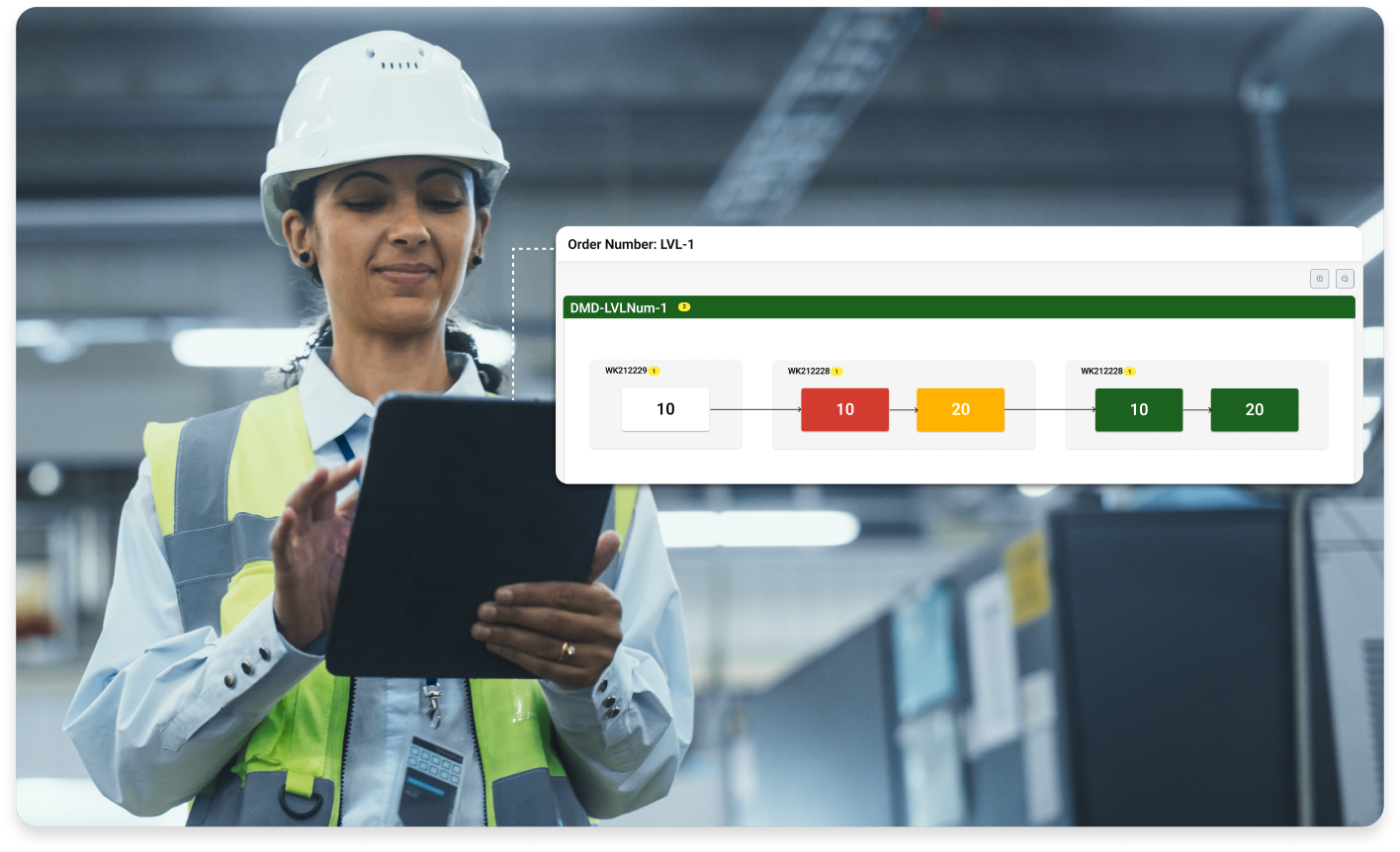
For APS to remain actionable, it must continuously reflect real-time shop floor activity, not just the original plan. Synchrono addresses this challenge by tightly integrating APS with core manufacturing systems and real-time data signals. Tools like SyncView® and SyncAlert® allow the system to detect issues as they emerge and respond accordingly, maintaining trust in the plan and enabling responsive execution.
With these integrations in place, APS transforms from a theoretical scheduler into a real-time command center, continuously adjusting to capacity, order changes, and plant conditions. This allows planners and operators to rely on a shared source of truth and keep production aligned with both demand and reality.
- ERP: ERP provides the commercial and material signals APS utilizes for orders, due dates, priorities, and inventory status. Integration ensures the schedule reflects current demand and commitments, not outdated assumptions.
- MES: MES integration feeds APS with real production status, operation progress, and disruptions. This closed loop allows schedules to adapt as conditions change, maintaining synchronization between plan and execution.
- Sensors: Plant and Machine Signals: Machine states, downtime, setup changes, and maintenance events directly impact available capacity. Feeding these signals into APS prevents infeasible schedules and exposes true constraints as they emerge.
- Shop-Floor Feedback: Timely shop-floor feedback is needed to keep APS aligned with real-world conditions. SyncAlert® provides real-time notifications when issues arise, whether it’s a material shortage, machine downtime, quality hold, or missed milestone, so teams can act immediately instead of reacting too late.
Working alongside SyncAlert, SyncView® delivers role-based visibility into the KPIs that matter most to operators, supervisors, and production managers. It transforms raw production data into actionable insights, helping teams stay informed and aligned.
By integrating real-time alerts with shared visual context, these tools help maintain schedule accuracy, reduce manual workarounds, and build lasting trust in the system.

APS Failure Pattern 4: Weak Change Management and User Adoption
APS failure can also be the result of schedulers continuing to use their manual processes and resisting the APS recommendations. Failure can also occur if the shop floor doesn’t follow the priorities generated by the APS. Change can be hard, which is understandable, and APS does alter the established workflow for schedulers and the shop floor, which can be challenging.
It’s important to include management throughout the process to ensure they are both on-board and promoting use of the APS. Occasionally, managers can be hesitant to implement high-impact, company-wide changes. They might be uncomfortable with the new software, lack confidence in using it or training others to use it, or anticipate negative results based on past experiences. To improve user adoption rates and integrate an APS more efficiently for an organization, follow these best practices:
- Training: The more training a team undergoes, the better they will feel rolling out a new system. While there are always growing pains with new technology, proper training significantly improves the adoption process and leadership’s confidence in communicating these changes to their teams.
- KPI Ownership: Key Performance Indicators are quantifiable measurements that help evaluate a performance, such as on-time delivery and schedule adherence. To get users on board, clearly communicate the connection between APS adoption and improving these KPIs. Show them how the new advanced planning system can directly enhance performance metrics.
- Cross-Functional Review: Before going live, assemble a group of individuals with diverse expertise to identify potential pain points in the new APS. Addressing these issues beforehand will equip management with strategies to handle any challenges that arise during integration.

What a Successful APS Implementation Looks Like
It’s helpful to consider some actionable methods to promote a good implementation result, with APS success metrics including on-time delivery and schedule adherence. These signals, such as an improved and more streamlined scheduling process and more people getting on board with the system changes, indicate the system is taking hold.
Noted KPIs that mean the APS is working and has been adopted are also important. KPIs are different for every company, but some common ones are cycle time, inventory turns, throughput, and avoided costs. An APS has become trusted when it’s an explainable plan across departments, and stakeholders can see and understand current state of manufacturing and the current status of every order in the system. There should also be demand-driven alerts that sustain accuracy and responsiveness. Looking forward, there will be continuous improvements to help strengthen manufacturing case studies.

Turning APS Into a Continuous-Improvement Capability
The most common reasons APS implementations fail include incomplete or inaccurate data models, relying on push-based scheduling methods, missing real-time integration with ERP, MES, or plant systems, and weak user adoption or change management.
The good news? These are all solvable challenges. With accurate, connected data, proper integration, and a proactive approach to onboarding and feedback, organizations can shift from simply installing APS to truly operationalizing it.
By reinforcing trust in the schedule, aligning it with real-world production conditions, and enabling responsive decision-making, APS becomes a system of execution that drives performance, visibility, and control across the shop floor.
To request a demo, choose from the options Synchrono offers, including SyncManufacturing® (demand-driven for planning, scheduling and execution), SyncKanban® (pull-based inventory replenishment software), SyncView® (visual factory information system), or SyncAlert® (real-time alert notification and escalation software).